Introduction
If your earbuds don’t sound as good as expected, you are not alone.
Many users experience:
- Weak bass
- Low volume
- Muffled vocals
- One earbud louder than the other
- Poor Bluetooth audio quality
The good news is that most sound issues can often be fixed without buying new earbuds.
In my experience, even budget earbuds can sound significantly better with the right combination of:
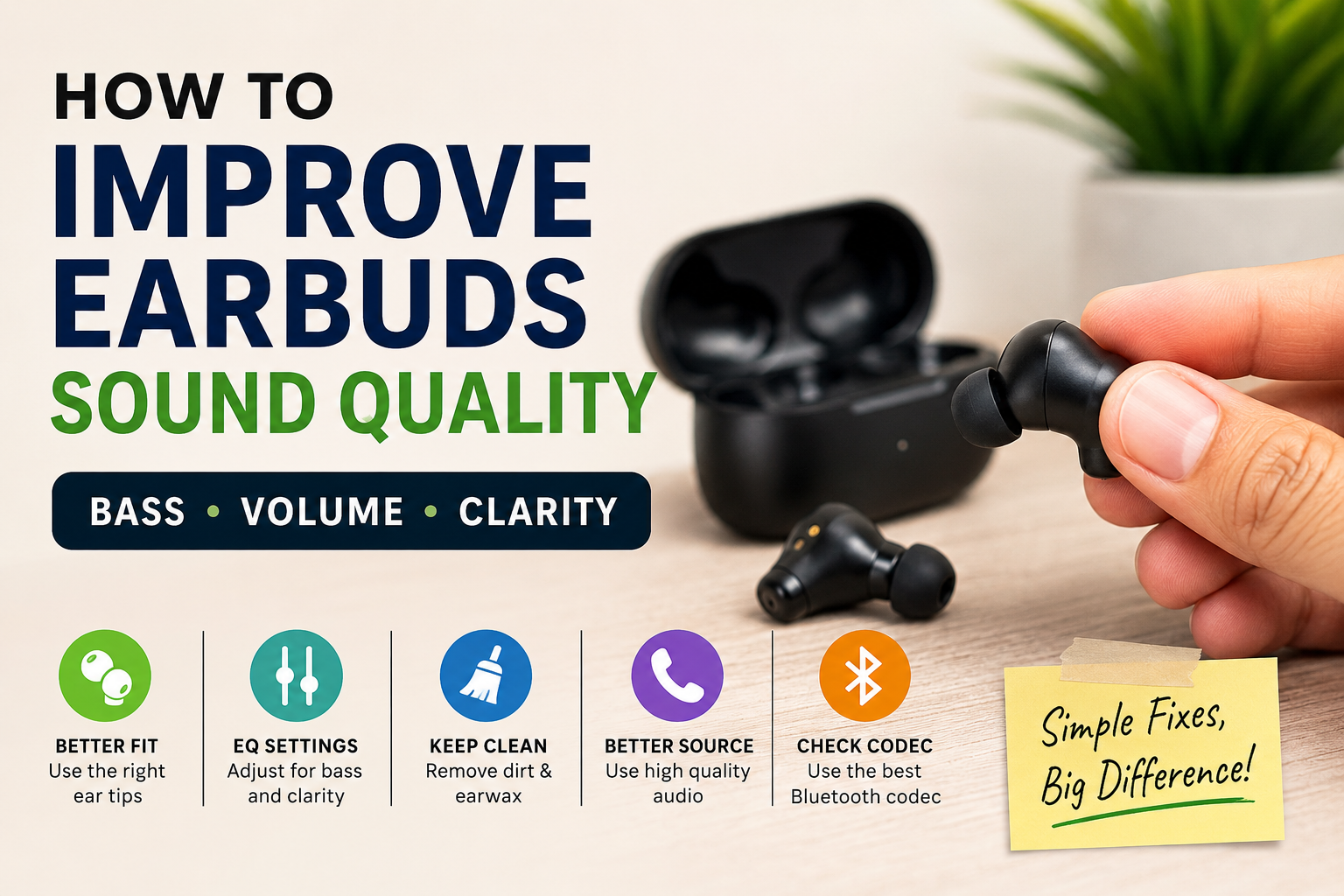
- Better fit
- Proper cleaning
- EQ tuning
- Better source quality
This guide covers everything—from simple fixes to advanced improvements for Android and iPhone users.
Why Do Earbuds Sound Bad?
Before fixing the issue, it’s important to understand what’s causing it.
1. Dirt, Earwax, or Dust Buildup
This is one of the most common causes.
Blocked speaker mesh can reduce:
- Volume
- Bass
- Clarity
Common signs:
- One side quieter
- Muffled sound
- Lower detail
2. Poor Ear Tip Seal
If your earbuds don’t fit properly:
You lose:
- Bass
- Isolation
- Fullness
Seal quality often matters more than people realize.
3. Wrong Audio Settings
Phones may reduce sound quality due to:
- Battery saver
- Default EQ
- Volume limits
4. Bluetooth Codec Limitations
Bluetooth audio quality depends heavily on codec.
5. Low-Quality Audio Source
Poor-quality streaming = poor sound
Even expensive earbuds can’t fix bad audio files.
Bluetooth Codecs Explained (Simple Guide)
Most users ignore this, but codec quality can affect:
✔ Detail
✔ Clarity
✔ Latency
SBC (Basic)
- Default on most devices
- Lowest quality
AAC
- Better for iPhone
- Good balance
aptX / LDAC
- Better detail and sound
- Common on Android premium devices
Practical tip:
If your phone supports better codecs, enable them for improved sound.
Step-by-Step Fixes to Improve Earbuds Sound
Fix 1: Clean Your Earbuds Properly
Use:
- Dry cotton swab
- Soft brush
- Toothpick carefully
Steps:
- Remove ear tips
- Clean mesh gently
- Remove wax
- Reattach
Real result:
Cleaning alone can dramatically improve clarity.
Fix 2: Choose the Right Ear Tips
Small tips:
- Less bass
- Less seal
Large tips:
- Better bass
- Better isolation
Best advice:
Test all sizes.
Proper seal = stronger bass + louder sound
Fix 3: Adjust EQ Settings
For Bass:
Boost:
- 60Hz
- 120Hz
For Vocal Clarity:
Boost:
- 1kHz–4kHz
For Balanced Listening:
Use: Balanced / Pop preset
Avoid: Overboosting bass
Android vs iPhone Sound Quality Fixes
Android Users
Best improvements:
- Dolby Atmos (if available)
- Wavelet app
- Poweramp Equalizer
- Bluetooth codec settings in Developer Options
Android Pro Tip:
Switch codec from SBC to AAC/LDAC if supported.
iPhone Users
Best improvements:
- Headphone Accommodations
- Apple Music EQ
- Sound Check OFF
iPhone Tip:
AAC is generally optimized well for Apple devices.
Best Apps to Improve Earbud Sound
Wavelet (Android)
- Excellent automatic EQ
Poweramp Equalizer
- Advanced control
Spotify EQ / Apple Music EQ
- Easy built-in solution
Apps can noticeably improve cheap earbuds.
Fix 4: Disable Battery Saver
Battery saver may:
- Compress audio
- Reduce Bluetooth quality
- Lower performance
Turn it off for best sound.
Fix 5: Upgrade Audio Source Quality
Better:
- Spotify High Quality
- Apple Music Lossless
- FLAC
Worse:
- Low bitrate YouTube
- Cheap MP3s
Fix 6: Reset Your Earbuds
If:
- One earbud quieter
- Distortion
- Balance issue
Reset:
- Forget device
- Put earbuds in case
- Hold reset
- Reconnect
How to Improve Bass
Best ways:
✔ Foam ear tips
✔ Better seal
✔ Bass EQ
✔ Better source
How to Improve Call Clarity
Do:
- Clean mic holes
- Use ENC
- Update firmware
- Reduce wind noise
Avoid: Covering mic accidentally
Safe Volume: Can Louder Sound Damage Your Ears?
Many users increase volume too much.
Risk:
- Hearing fatigue
- Long-term hearing damage
Safe tip:
Keep volume below ~80% for long sessions
Common Mistakes That Make Earbuds Sound Worse
❌ Wrong ear tips
❌ Dirty mesh
❌ Poor streaming quality
❌ Battery saver ON
❌ Ignoring codec settings
Quick Troubleshooting Decision Tree
| Problem | Likely Fix |
|---|---|
| Low volume | Clean earbuds |
| Weak bass | Better fit + larger tips |
| One side quieter | Clean + reset |
| Bad Bluetooth sound | Change codec |
| Poor vocals | EQ tuning |
When You Should Upgrade Instead of Fixing
Sometimes better tuning won’t solve hardware limits.
Upgrade if:
- Constant distortion
- Poor drivers
- No codec support
- Permanent imbalance
If your earbuds are too limited, upgrading may save more time.
Useful Accessories That Help
- Foam ear tips
- Cleaning kits
- EQ apps
Related Guides
- Fix Bluetooth earbuds connection issues
- Best earbuds under ₹3000
- Best earbuds under ₹5000
- Best earbuds for calling
Final Verdict
Improving earbuds sound quality usually starts with optimization—not replacement.
For most users, the biggest improvements come from:
- ✔ Cleaning
- ✔ Better fit
- ✔ EQ
- ✔ Better source
- ✔ Correct codec
👉 Before buying new earbuds, optimize what you already have.
❓ FAQs
Q1. Why do my earbuds sound muffled?
Usually due to dirt, poor fit, or weak source quality.
Q2. How can I increase bass?
Use better seal, foam tips, and EQ.
Q3. Why is one earbud quieter?
Wax buildup, fit issue, or firmware glitch.
Q4. Can apps improve earbud sound?
Yes—especially EQ apps like Wavelet.
Q5. Is louder always better?
No, excessive volume can damage hearing.